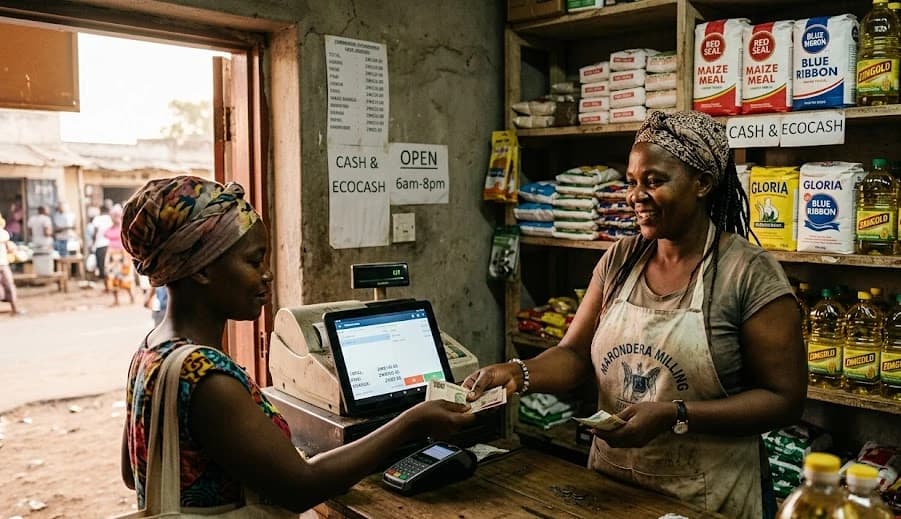
Retail/Shop POS
Point of sale for retail and wholesale
A point of sale that handles the way Zimbabwean shops actually trade — dual currency, mobile money built in, stock that stays in sync.
Free starter plan. Works on any device you already own.
The actual screen
This is what you get
Not a concept. Shop POS looks like this the day you sign in.
Shop POS in three steps
Add your products
Drop in your product list with USD prices. Stock counts, suppliers and reorder thresholds optional.
Open the till
Sign cashiers in with PINs and start trading on any device — phone, tablet, laptop or desktop.
Cash up and review
End-of-day cash-up, hourly sales charts, top sellers and cashier breakdowns — ready to read or export.
USD and ZiG on the same receipt — without the calculator
Every product has a USD price. ZiG prices are computed live using the rate you set or the rate from ZimRate. Customers pay how they want, your receipts and reports stay coherent across both currencies, and reconciliation actually adds up at the end of the day.
- Live USD/ZiG conversion at checkout
- Dual-currency receipts and reports
- Pin the rate or pull from ZimRate
- End-of-day cash-up in both currencies
See what's running out before the customer does
Stock decrements as sales happen, low-stock alerts fire when items hit your reorder threshold, and suppliers get pre-filled reorder lists at the click of a button. Stock-take by section, by supplier, or by SKU when you need a sanity check.
- Live stock decrements on every sale
- Low-stock alerts per supplier
- One-click reorder lists
- Periodic stock-take built in
End-of-day, end-of-month, end-of-shrinkage
Daily cash-ups by cashier, hourly sales heatmaps, top sellers by margin, and a monthly view that ties out to what's in the till. Export to Excel for your accountant or your bookkeeper without losing your mind.
- Daily cash-ups by cashier
- Hourly sales heatmap
- Top sellers by margin, not just units
- Excel exports your accountant will accept
Start free. Pay as you grow.
No transaction fees. No hardware lock-in. Cancel any time.
Starter
For tuckshops and small traders just getting their till online.
- 1 till
- Up to 50 products
- Daily sales totals
- Email support
Single till
For shops trading full days with a single point of sale.
- Unlimited products
- Cashier accounts & PINs
- Real-time stock tracking
- End-of-day & monthly reports
- EcoCash & OneMoney integration
Multi-till
For shops with multiple tills or multiple branches.
- Unlimited tills per branch
- Consolidated branch reporting
- Inter-branch stock transfers
- Owner dashboard across branches
- Phone support
Common questions
Do I need special hardware?
No. Shop POS runs on any device with a browser — phone, tablet, laptop or desktop. Add a thermal receipt printer when you are ready.
How does dual-currency work?
Every product has a USD price. ZiG prices are computed using the rate you set (or pulled live from ZimRate). Receipts and reports show both currencies cleanly.
Can it work offline?
Yes — short outages are handled locally and synced when the connection comes back. For long offline periods, ask us about the on-premise option.
How do I get started?
Book a demo. We'll set up your products and stock, and train your cashiers on a live till.
See Shop POS in action
Book a 20-minute demo. We will walk you through Shop POS using data that mirrors how you operate, and answer any questions live.